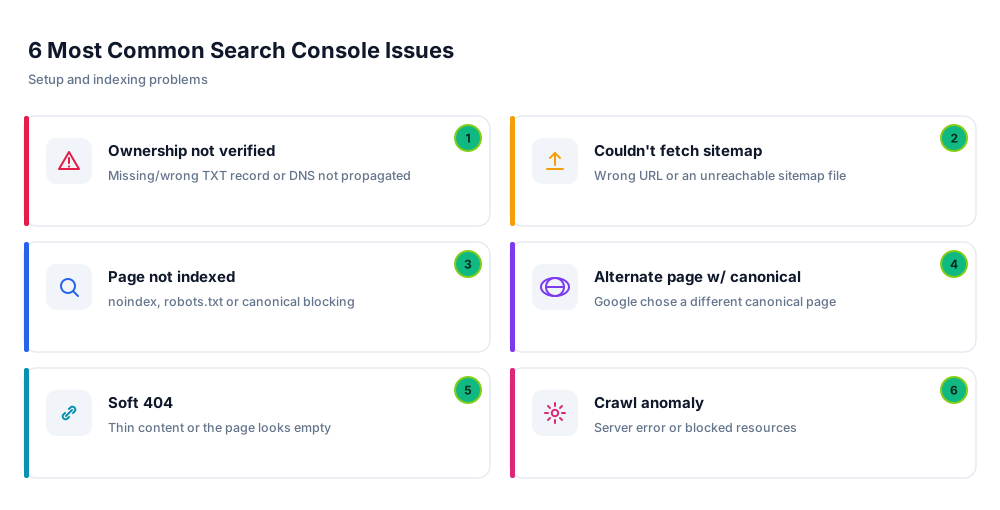
Using Google Search Console is usually smooth, but you can hit errors during registration, verification and indexing. In this article you'll find the most common problems that occur during Search Console setup and use, with a step-by-step fix for each.
The Most Common Issues
1) Ownership Not Verified
This is the most common error. Search Console shows it when it can't find the TXT record you added.

- Check the Host field: the TXT record's Host/Name should be
@, not the full domain. - Copy the value exactly: don't add extra spaces or quotes around the
google-site-verification=...value. - Wait for DNS propagation: changes can take minutes–48 hours; wait and click Verify again.
- Keep one record: if there are wrong, old TXT records, delete them and leave only the correct one.
2) Couldn't Fetch the Sitemap
If you submitted a sitemap but the status shows “Couldn't fetch” or “Error”, the problem is usually the address or access.
- Verify the full address: the sitemap is usually
https://yoursite.com/sitemap.xml; open it in a browser to confirm it loads. - Check robots.txt: robots.txt must not block the sitemap or Google.
- Use the right protocol: if your site is https, submit the sitemap address with https too.
- Resubmit: if the address is correct, remove and re-add the sitemap; Google retries after a while.
3) Page Not Indexed (Crawled / Discovered – currently not indexed)
If your pages are marked “Not indexed”, Google saw the page but didn't index it. The most common causes:
- noindex tag: noindex may have been left on by mistake; check your SEO settings.
- robots.txt block: the page/directory may be closed to crawling in robots.txt.
- Content quality: thin or duplicate content may not be indexed; deepen the content.
- New site/page: sometimes time is the only issue; request indexing via URL Inspection.
4) Alternate Page With Proper Canonical Tag
This means Google considers your page a duplicate and chose a different address as the canonical.
- Make sure the page's canonical tag points to its own address.
- If you have multiple domains (e.g. .com and .com.tr), all canonical, robots and sitemap addresses must point to a single preferred domain.
- If there's duplicate content, set the canonical to the correct version and point the others to it.
5) Soft 404
If a page actually loads but Google considers it “empty/thin”, it's flagged as a soft 404.
- Add real, valuable content to the page; avoid empty or very thin pages.
- If the page is truly removed, make sure the server returns a proper 404 or 410 response.
- If it was temporary, re-validate via URL Inspection after fixing it.
6) Crawl Anomaly / Server Errors
“Crawl anomaly” or 5xx errors appear when Google gets a server error while crawling the page.
- Check for temporary outages or resource limits on your server/hosting.
- Heavy load or a security plugin may be blocking Googlebot; verify bot access.
- Once resolved, re-test and request indexing via URL Inspection.
A General Approach to Fixing Errors
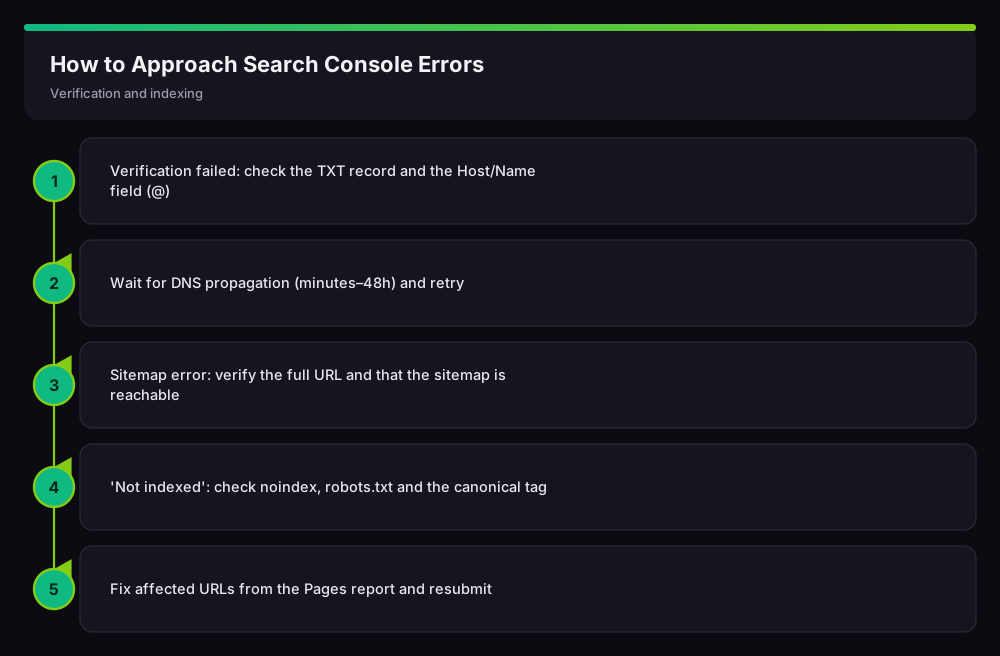
For verification errors, check the TXT record and Host field and wait for DNS propagation; for sitemap errors, verify the full address and reachability; for indexing issues, review noindex, robots.txt and canonical one by one, then fix the affected URLs and resubmit.
Frequently Asked Questions (FAQ)
Why won't ownership verify?
The two most common causes: putting the full domain in the Host field instead of @, and DNS not having propagated yet. Set Host to @, wait a few hours and retry.
The sitemap says 'Error' but opens in a browser — why?
Usually due to the wrong protocol (http/https) or a robots.txt block. Submit the address with your site's protocol and make sure robots.txt doesn't block the sitemap.
Is the 'Not indexed' status permanent?
No. After removing a noindex/robots block and strengthening the content, you can request indexing via URL Inspection; most pages get indexed over time.
How do I prevent all these errors?
Correct DNS verification, a single preferred domain, a clean robots.txt and canonical setup, plus a valid sitemap prevent most of these errors up front.
Conclusion
Almost all Search Console errors are configuration-related: the TXT record, DNS propagation, sitemap address, noindex, robots.txt and canonical. Verifying these one by one resolves most verification and indexing issues. To revisit setup, return to our Search Console setup guide.
Related Guides
Need help with your website, hosting or SEO? Get in touch with me.